
Why Choose an Ethernet Humidity Sensor?
Why Choose an Ethernet Humidity Sensor?
Humidity can quietly damage products, equipment, and building materials. A small rise near a storage rack may cause condensation, corrosion, or microbial growth. An Ethernet Humidity Sensor turns that hidden risk into readable, time-stamped data.
Dr. Jari Heinonen, an industrial measurement specialist, explains, “A sensor is only useful when its data can be trusted at the point of action.” That principle matters in real facilities. Ethernet sensors can send readings through existing network infrastructure. They may also support PoE, Modbus TCP, or web-based dashboards. Maintenance teams can review humidity trends without visiting every room.
The details are practical. Place the sensor away from vents, doors, and direct water spray. Check its response time. Confirm its measuring range. Review calibration records before trusting long-term data. Network access also requires sensible security controls, including strong credentials and restricted permissions.
It is not a magic fix.
A connected sensor cannot correct poor placement or ignored alarms. That assumption deserves testing. Operators should compare readings with a reference instrument during commissioning. They should also inspect the probe after unusual temperature changes or condensation events.
When selected carefully, an Ethernet Humidity Sensor provides more than a number. It creates a visible link between environmental conditions and operational decisions. The result can be faster alerts, clearer records, and fewer surprises. Still, every installation has weaknesses. Reliable monitoring depends on the sensor, the network, the software, and the people responding to the data.
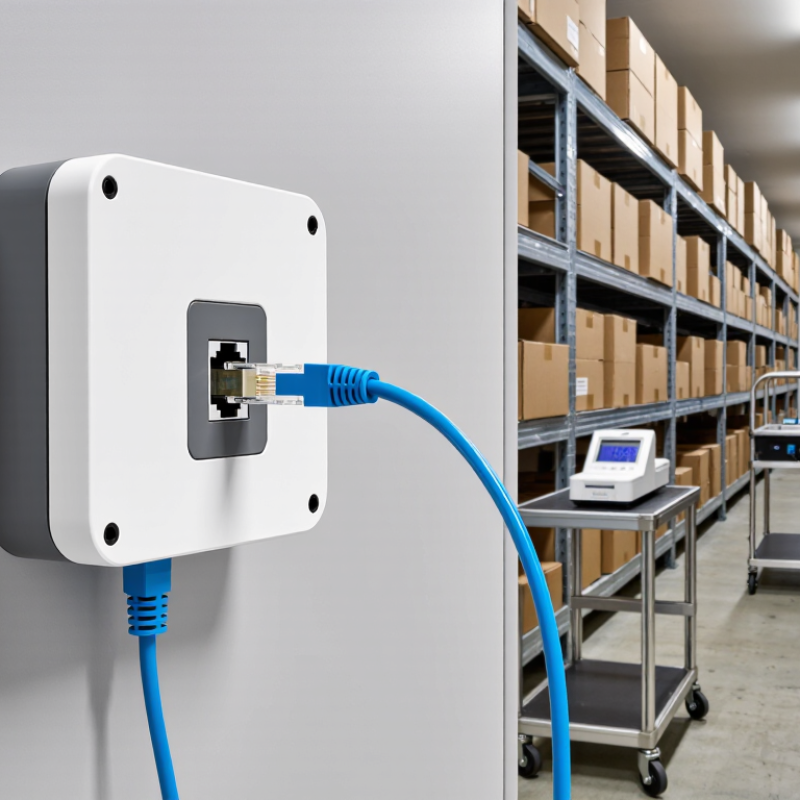
Ethernet Humidity Sensors Explained: 10/100/1000 Mbps Network Connectivity
Why Choose an Ethernet Humidity Sensor?
Ethernet humidity sensors connect directly to a wired network, making measurements available across offices, warehouses, and production areas. The 10/100/1000 Mbps rating describes network communication speed, not humidity measurement speed. A 10 Mbps connection may suit one device, while larger facilities often benefit from 100 Mbps or gigabit infrastructure.
Faster links can support many sensors, web dashboards, alarms, and recorded data without creating unnecessary congestion. However, gigabit connectivity does not automatically improve accuracy. Sensor placement, airflow, calibration, and condensation protection matter more. One detail is easy to miss. A sensor can use a gigabit port but still transmit only small data packets.
From practical installations, wired Ethernet usually offers stable communication in fixed locations. It also simplifies centralized monitoring when network outlets already exist. Before installation, check switch compatibility, cable length, IP addressing, and network security policies. A managed network can separate environmental devices from general office traffic. Some systems support secure protocols, but configuration must be verified rather than assumed.
I have seen installations where the fastest connection received the most attention, while poor placement caused unreliable readings. That was an expensive lesson. Mounting a sensor beside a doorway or air vent can produce sudden humidity changes that do not represent room conditions. Test readings at the intended height, compare them with a calibrated reference, and record the local temperature during commissioning.
Why Choose an Ethernet Humidity Sensor? - Ethernet Humidity Sensors Explained: 10/100/1000 Mbps Network Connectivity
| Network Mode | Nominal Link Speed | Common Ethernet Standard | Recommended Copper Cable | Maximum Typical Segment Length | Suitability for Humidity Sensors |
|---|---|---|---|---|---|
| 10 Mbps | 10 Mbit/s | 10BASE-T | Category 3 or better twisted-pair cable | Up to 100 m | Adequate for basic monitoring, alarms, and periodic readings |
| 100 Mbps | 100 Mbit/s | 100BASE-TX Fast Ethernet | Category 5 or better twisted-pair cable | Up to 100 m | A practical option for building automation and multi-sensor networks |
| 1000 Mbps | 1 Gbit/s | 1000BASE-T Gigabit Ethernet | Category 5e or better twisted-pair cable | Up to 100 m | Useful when sensors share network infrastructure with other high-volume devices |
| Auto-Negotiation | Selects the highest mutually supported speed | Defined for common twisted-pair Ethernet links | Must meet the requirements of the selected link speed | Normally up to 100 m per copper segment | Simplifies deployment across mixed-speed network equipment |
| Data Dimension | Typical Ethernet Humidity Sensor Characteristic | Practical Benefit |
|---|---|---|
| Measurement Variables | Relative humidity, air temperature, dew point, alarms, and device status | Provides environmental information and helps identify condensation risk |
| Network Integration | Connects directly to an IP network through standard Ethernet cabling | Supports centralized monitoring without a dedicated serial gateway |
| Communication Protocols | May include web interfaces, SNMP, Modbus TCP, MQTT, or REST-based interfaces, depending on device design | Allows connection to monitoring software, control systems, and data platforms |
| Sampling and Reporting | Often configurable from seconds to minutes; the exact interval depends on the sensor and application | Supports both real-time alerts and long-term environmental trending |
| Bandwidth Requirement | Normally very low compared with the available capacity of 10, 100, or 1000 Mbps Ethernet | Even 10 Mbps can be sufficient for sensor readings; higher speeds improve network compatibility rather than measurement accuracy |
| Power Options | May use local DC power; some models may support Power over Ethernet, subject to the device and network equipment specifications | Can reduce separate wiring where compatible power delivery is available |
| Typical Applications | Server rooms, warehouses, laboratories, museums, production areas, greenhouses, and building management systems | Enables remote access, centralized records, and prompt humidity-based notifications |
| Selection Priority | Choose based on measurement accuracy, operating range, enclosure rating, protocol support, power method, and network compatibility | Helps match the sensor to environmental requirements instead of selecting solely by network speed |